
New 14-Day Free Trial — No credit card required. Full access from day one.
News Section
🔥 Get 14 Days Free Trial - No Credit Card Required • 📢 Industry Pages for Healthcare & Manufacturing • 🎉 MEDarshana OCR Engine Upgraded • ⭐ 100+ Manufacturing Companies Trust SAMPAT • 🔥 Get 14 Days Free Trial - No Credit Card Required • 🚀 New Feature Released: AI-Powered Preventive Maintenance • 📢 Webinar on Smart Asset Management - Register Now • 🎉 Version 3.2 is now available • ⭐ 100+ Manufacturing Companies Trust SAMPAT • 🔥 Get 14 Days Free Trial - No Credit Card Required
🎉 14 Days Free — No Credit Card

Start Your Free Trial

We'll get back to you shortly and share the brief via your email.

Enter a valid 10-digit mobile number.
I'm not a robot
reCAPTCHA
Privacy · Terms

✓ Trusted by 200+ enterprises worldwide

✅

You're all set!

We will get back to you shortly.
We will share the brief via your email.

📧 Check your inbox — a confirmation is on its way.
NEW

14-Day Free Trial

No credit card required.
Full access from day one.

Start Free Trial →
🤝 Partner Program

Channel Partner

Enter a valid 10-digit mobile number.

✓ Trusted by 200+ enterprises worldwide

Document processing automation

OCR Is Only the First Step: What Happens After Document Data Is Extracted?

Introduction

When a business receives hundreds or thousands of documents every day, getting the information out of those documents is only part of the job. OCR, or Optical Character Recognition, has made it much easier to convert scanned documents, PDFs, forms, invoices, identity documents, and other files into readable digital text. But extracting the text does not necessarily mean the information is ready to use. A name can be misspelled. A number can be read incorrectly. A required field may be missing. Information on two documents may not match. Someone still needs to check these details before the data enters an important business process. This is why document processing automation goes beyond OCR. Once information has been extracted, it needs to be checked, organized, verified, and sent to the right place. So, what really happens after OCR?

OCR Extracts the Information. What Comes Next?

Think about a simple invoice. OCR can read the vendor name, invoice number, date, tax amount, and total. But what if the total does not match the line items? What if the invoice number is missing? What if the vendor name is different from the name already stored in the company’s system? These are not OCR problems. They are document processing problems. A complete document workflow should be able to take the information extracted from a document and perform the necessary checks before it is used. The process can include document classification, data validation, field checking, cross-document comparison, business-rule checks, and workflow routing.

1. Identifying the Type of Document

The first step after extraction is understanding what kind of document has been received. A business may deal with invoices, purchase orders, application forms, identity documents, certificates, bank statements, insurance forms, and many other document types. Each document contains different information and requires different checks. For example, an invoice may require:
  • Invoice number
  • Vendor name
  • Invoice date
  • Tax details
  • Line-item information
  • Total amount
An identity document may require completely different information. Automatically identifying the document type helps the system apply the appropriate extraction and validation rules.

2. Checking Whether the Data Is Correct

Extracted information should not automatically be treated as accurate. This is where document validation software becomes useful. Validation can check whether:
  • Required fields are available
  • Numbers follow the expected format
  • Dates are valid
  • Amounts are calculated correctly
  • Information meets predefined business rules
  • Important fields are consistent
For example, if an invoice contains a tax amount that does not match the expected calculation, the document can be flagged for review instead of being processed immediately. This simple additional step can prevent errors from moving further into the business process.

3. Comparing Information Across Documents

Many business processes involve more than one document. Consider a loan application. The applicant may submit an application form, identity proof, address proof, income documents, and bank statements. The information on these documents should generally correspond. If the name is different on one document, the address does not match, or an important number is inconsistent, the system can identify the difference and send the case for review. This can save employees from manually comparing documents one by one.

4. Applying Business Rules

Every organization has its own requirements. A finance department may have rules for approving invoices. A bank may have specific requirements for customer verification. An insurance company may have rules for processing claims. Once document data has been extracted and checked, those business rules can be applied. For example: If all required information is available and the validation checks are successful, continue processing. If information is missing or inconsistent, send the document for manual review. This approach allows companies to reduce unnecessary manual work while keeping people involved when a decision requires attention.

5. Sending the Information to the Right System

Data is rarely extracted just for the sake of extraction. The information usually needs to reach another business application. Depending on the organization, this could be an ERP, CRM, accounting system, banking application, HR platform, compliance system, or internal database. With automated document processing, validated information can move directly into the appropriate system instead of being manually copied from a document. The difference can be significant. A manual process may look like this: Document → Employee → Data Entry → Checking → Business System An automated process can reduce the number of manual steps: Document → OCR → Validation → Verification → Business System Fewer manual steps can mean less repetitive work and fewer opportunities for data-entry mistakes.

6. Sending Exceptions to a Person

Automation does not mean that every document should pass through without human involvement. Some documents will always need attention. A document may have poor image quality. A field may be unclear. Two documents may contain different information. A required value may be missing. Instead of making an employee check every document, the system can identify these exceptions and send them for review. This creates a practical balance: Routine documents can move through the process automatically, while unusual cases can be handled by people. For businesses processing large document volumes, this can make a considerable difference to day-to-day workloads.

7. Keeping a Record of What Happened

There is one more important part of document processing that is sometimes overlooked: keeping track of the process. Businesses may need to know when a document was received, what information was extracted, which checks were performed, whether an exception was found, and whether someone reviewed it. Maintaining this information provides greater visibility into the document workflow. It can also help businesses identify recurring problems. For example, if the same type of document regularly fails validation, the organization can investigate the reason and improve the process.

Frequently Asked Questions

Is OCR enough for document processing?

OCR is an important part of document processing, but it only addresses the extraction of information. Businesses often need additional steps such as classification, validation, verification, and workflow processing before extracted information can be used confidently.

What is document processing automation?

Document processing automation is the use of software to reduce manual work involved in handling documents. It can include extracting information, checking data, validating documents, identifying exceptions, and transferring information to other business systems.

Why is document validation important?

Validation helps identify missing, incorrect, or inconsistent information before it enters a business workflow. This can help reduce manual checking and prevent avoidable errors.

Can document processing work with different document types?

Yes. A document processing platform can be configured to handle different types of documents, including invoices, forms, identity documents, certificates, applications, and other business records.

Does automation remove the need for employees?

Not necessarily. A well-designed process can handle repetitive tasks automatically while allowing employees to review documents that require additional attention.

Where Does DocAIT Fit In?

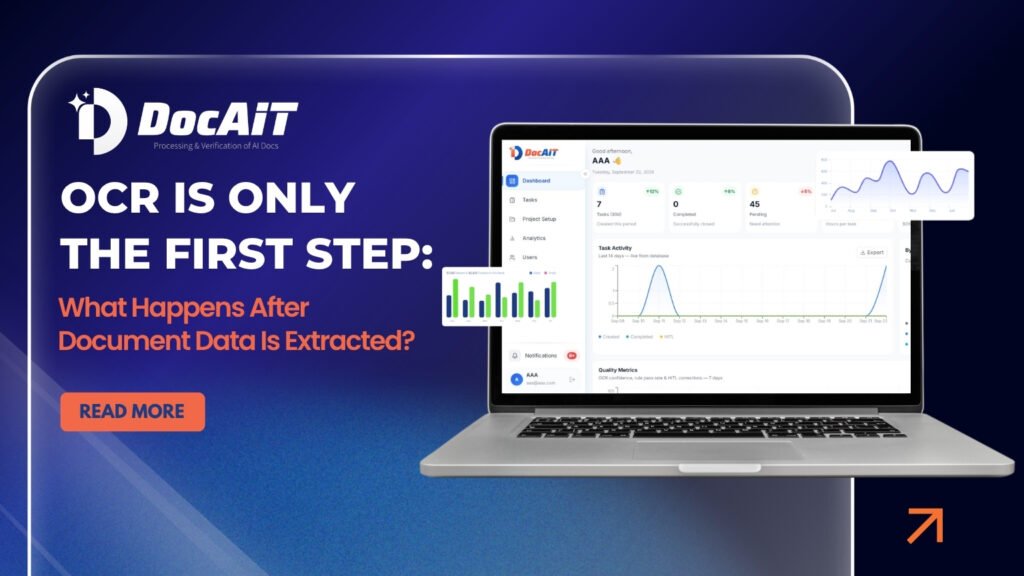
This is where SAMPAT’s DocAIT can help businesses move beyond basic OCR. DocAIT combines OCR with document extraction and validation capabilities to help organizations process different types of business documents. It can be used for areas such as KYC documents, invoices, identity documents, certificates, application forms, and other document-heavy processes. Instead of stopping after reading the information on a document, DocAIT is designed to help businesses take the next steps—checking the information and supporting the document workflow. For companies looking at a document processing platform, this distinction is worth considering. The question should not only be, “Can the system read my documents?” A better question is: “What can the system do with the information after it has read the document?” That is where document processing becomes more useful to the business. Explore SAMPAT’s DocAIT OCR & Document Validation Platform

Conclusion

OCR has changed the way businesses handle documents, but extracting text is only the beginning. The real work starts after the information has been captured. Businesses need to know whether the data is complete, whether it is correct, whether it matches other information, and what should happen next. Document classification, validation, verification, business rules, exception handling, and system integration all play an important role. For organizations handling large volumes of documents, document processing automation can help reduce repetitive work and create a more consistent way of handling information. So, when evaluating an OCR solution, look beyond text extraction. Ask what happens after the data is extracted. That is where a document processing platform can make a real difference.

Leave a Comment

Your email address will not be published. Required fields are marked *