Introduction
A manager notices that a project is falling behind schedule. The team is busy, everyone appears to be working, and meetings are happening as planned. Yet the expected results are not coming through.
So, where is the time going?
This is one of the biggest challenges businesses face today, particularly when teams work remotely, across multiple locations, or in hybrid environments. Traditional attendance records can tell you when employees start and finish work, but they do not always show how working hours are actually being used.
That is where employee productivity tracking software can help.
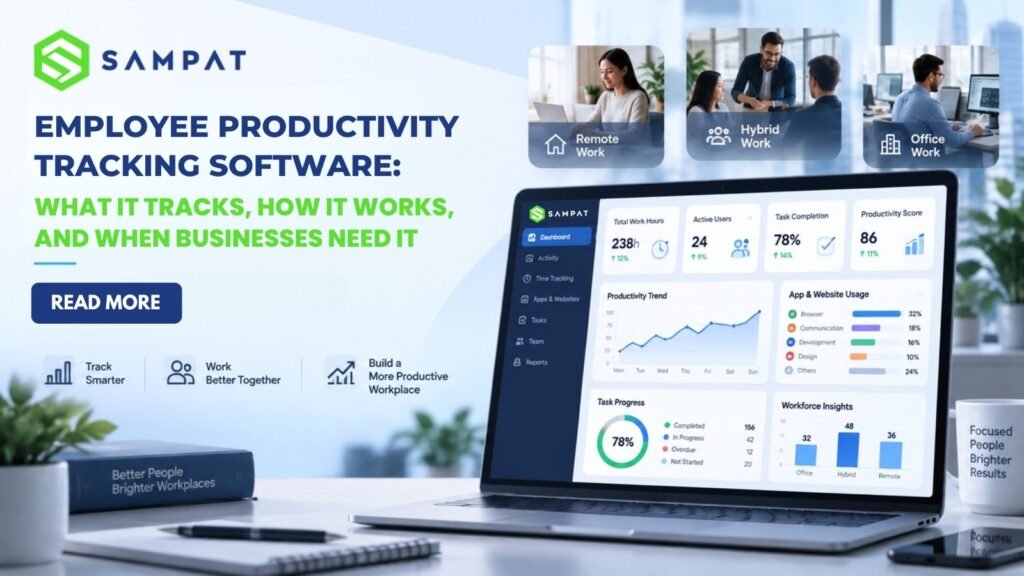
Modern productivity monitoring software gives businesses visibility into work patterns, active and idle time, application and website usage, attendance, and productivity trends. More importantly, the right data can help managers identify bottlenecks, improve workflows, balance workloads, and make better workforce decisions.
One solution businesses can consider is SAMPAT PM Employee Productivity Monitoring Software, which brings productivity tracking, application and website monitoring, attendance insights, reporting, screenshots, and workforce analytics together in a centralized platform.
But what exactly does employee productivity tracking software track? How does it work? And when does a business actually need it?
Let’s break it down.
What Is Employee Productivity Tracking Software?
Employee productivity tracking software is designed to help businesses understand work activity and productivity patterns across their workforce.
Depending on the software and configuration, businesses may be able to monitor:
- Active and idle time
- Application usage
- Website and URL activity
- Login and logout times
- Breaks and working hours
- Productivity trends
- Screenshots
- Employee activity
- Team performance
- Workforce reports and analytics
The important point is that productivity tracking should provide useful business visibility, not simply create another layer of supervision.
For example, if a manager notices that employees are spending a significant amount of time moving between several applications, the solution may not be to question individual employees. It may be to simplify the workflow, remove unnecessary software, or improve training.
That is where productivity data becomes genuinely useful.
What Does Employee Productivity Tracking Software Track?
1. Active and Idle Time
Active and idle time is one of the most commonly used productivity indicators.
Active time can help businesses understand periods of computer activity, while idle time can highlight gaps that may require further investigation.
However, managers should avoid treating idle time as automatic evidence of poor performance. An employee could be attending a meeting, reviewing paperwork, speaking with a customer, planning a project, or performing another task that does not involve constant keyboard or mouse activity.
The value comes from looking at patterns rather than isolated numbers.
SAMPAT PM provides active, idle, and break-time tracking to help businesses understand employee work patterns.
2. Application Usage
Think about a typical workday.
An employee may use email, a CRM, project-management software, spreadsheets, communication tools, browsers, and several other applications.
Without reliable data, managers may have little idea which tools consume the most working time.
Application usage tracking can help businesses understand these patterns and determine whether employees are spending time on the applications needed for their roles.
SAMPAT PM’s Pro plan includes application usage tracking, allowing businesses to analyze application activity as part of their productivity monitoring process.
3. Website and URL Activity
Web browsers are essential for many jobs, but they can also introduce distractions.
Website and URL tracking can help businesses understand browsing patterns and identify websites that may be unrelated to work requirements.
SAMPAT PM includes website and URL tracking, along with page-title monitoring in its Pro plan.
The purpose should be to identify meaningful patterns and improve workplace efficiency—not to make assumptions about an employee based on one website visit.
4. Attendance and Working Hours
Attendance remains important even when employees work remotely.
Businesses need to know when employees begin their working day, when breaks occur, and how many hours are being recorded.
Productivity monitoring software can reduce dependence on manually maintained timesheets and provide managers with a more consistent view of working hours.
SAMPAT highlights attendance, login/logout activity, breaks, and overall working-hour insights as part of its productivity monitoring capabilities.
5. Screenshots and Activity Evidence
Some businesses require screenshots for specific operational, compliance, or security purposes.
SAMPAT PM supports configurable screenshot monitoring, including random and blurred screenshots depending on the selected plan.
This type of monitoring should always be introduced with clear company policies. Employees should understand what is being collected, why it is necessary, and how the information will be handled.
How Does Employee Productivity Tracking Software Work?
The process generally follows four simple stages.
Step 1: Collect Work Activity
The software collects permitted information from employee devices, such as active time, application usage, website activity, or attendance data.
Step 2: Organize the Information
Raw activity data is organized into dashboards, reports, categories, and productivity indicators.
Step 3: Identify Patterns
Managers can then look for recurring patterns.
For example:
- Is a team regularly experiencing high idle periods?
- Are employees spending too much time on certain applications?
- Are some departments overloaded?
- Are remote teams working within expected schedules?
- Are workflow bottlenecks affecting project delivery?
Step 4: Take Action
This is the stage that matters most.
Data is only useful when it leads to a better decision.
A manager might simplify a workflow, redistribute workloads, provide training, remove unnecessary software, or investigate a recurring operational problem.
SAMPAT PM provides productivity reports and automated daily, weekly, and monthly reporting capabilities to help organizations turn workforce activity into usable information.
Why Are Businesses Using Productivity Monitoring Software?
The workplace has changed.
A manager may now oversee employees working from home, from an office, from another city, or even from another country. Physical visibility is no longer a reliable way to understand how work is progressing.
Consider a remote project team that repeatedly misses deadlines.
Without productivity data, management may only know that the deadline was missed.
With useful workforce information, managers may discover that employees are spending excessive time switching between applications, certain processes are creating delays, or workload distribution is uneven.
That difference matters.
Instead of asking, “Why aren’t employees working?”, managers can ask a more useful question:
“What is getting in the way of effective work?”
SAMPAT positions its productivity monitoring platform around workforce visibility, productivity insights, workflow improvement, and support for remote, hybrid, and office-based teams.
When Does a Business Need Employee Productivity Tracking Software?
Not every company needs employee monitoring software.
However, it becomes increasingly useful when businesses experience specific operational challenges.
You may want to consider productivity tracking software if your business:
- Manages remote or hybrid employees
- Has multiple departments or locations
- Relies heavily on digital workflows
- Struggles with manual timesheets
- Needs better workforce visibility
- Wants to understand application and website usage
- Experiences unexplained productivity bottlenecks
- Needs regular workforce reports
- Wants better resource-planning information
- Needs consistent monitoring across distributed teams
The size of the business is not always the deciding factor.
A 30-person company with a distributed workforce may have a greater need for productivity visibility than a 300-person organization whose employees work within simple, highly visible processes.
The better question is:
What business problem are you trying to solve?
How SAMPAT PM Can Help Businesses
Once a company understands why it needs productivity tracking, the next question is which capabilities actually matter.
SAMPAT PM is designed to provide a centralized view of workforce activity and productivity.
Its capabilities include:
- Productivity tracking: Monitor active, idle, and break periods.
- Application monitoring: Understand application usage across teams.
- Website monitoring: Track website and URL activity.
- Attendance insights: Review login/logout activity, breaks, and working hours.
- Screenshot monitoring: Use configurable screenshots according to organizational policies.
- Automated reports: Generate daily, weekly, and monthly reports.
- Workforce analytics: Review productivity trends and workforce information.
- Remote and hybrid monitoring: Maintain visibility across different work environments.
- Offline activity tracking: Continue capturing activity information when devices are offline and synchronize data after reconnection.
- Multi-platform support: SAMPAT supports Windows, macOS, and Linux environments.
For businesses that want to start gradually, SAMPAT’s current pricing page lists a 14-day free trial with no credit card required.
A Real Business Example
The value of productivity monitoring becomes easier to understand when we look at a real business situation.
KPOST Software Pvt. Ltd. reported that before implementing SAMPAT Productivity Monitoring, its HR and management teams had difficulty gaining visibility into employee work activities and productivity trends across teams.
According to SAMPAT’s published case study, the organization used the platform to monitor login-to-logout activity, application and website usage, productive and non-productive work patterns, and productivity percentages through centralized dashboards and automated reports.
This illustrates an important point: the software is most useful when it addresses a specific operational problem.
The goal is not simply to collect more information.
The goal is to turn workplace information into better decisions.
Productivity Tracking Is Not the Same as Measuring Productivity
This distinction is easy to overlook.
An employee can be highly active on a computer and still spend time on low-value tasks. Another employee may spend an hour thinking through a complex problem and show very little keyboard activity.
Therefore, businesses should not define productivity using one number.
A more balanced approach considers:
- Work activity
- Quality of output
- Completed tasks
- Deadlines
- Customer outcomes
- Collaboration
- Workload
- Role responsibilities
SAMPAT itself describes productivity monitoring as a way to understand work patterns and identify opportunities for improvement rather than simply relying on basic activity counts.
This approach can make productivity data far more meaningful.
How to Introduce Employee Monitoring Without Losing Trust
Introducing monitoring software without explaining it properly can create unnecessary concern.
A better approach starts with transparency.
Before deployment, businesses should clearly explain:
What is being tracked?
Employees should know which information the software collects.
Why is it being tracked?
Connect monitoring to specific business goals such as workforce planning, workflow improvement, security, or productivity analysis.
Who can access the data?
Define access responsibilities and protect sensitive information.
How will the information be used?
Explain whether data is intended for operational analysis, reporting, security, or other legitimate business purposes.
What does the company consider productive work?
Make sure employees understand that productivity is about meaningful work and outcomes—not simply keyboard activity.
SAMPAT describes its solution as supporting privacy-conscious monitoring and balancing productivity visibility with employee trust.
Frequently Asked Questions
What is employee productivity tracking software?
Employee productivity tracking software collects and analyzes work-related activity to help businesses understand working patterns, productivity trends, application usage, attendance, and workforce performance.
What does employee productivity monitoring software track?
Depending on the platform and configuration, it may track active and idle time, application usage, website activity, attendance, working hours, screenshots, and productivity trends.
Is SAMPAT PM suitable for remote employees?
Yes. SAMPAT is designed for office-based, remote, and hybrid work environments.
Can SAMPAT PM track application and website usage?
Yes. Application usage tracking and website/URL tracking are included in SAMPAT PM’s Pro plan.
Does SAMPAT PM provide automated reports?
Yes. SAMPAT’s Pro plan includes automated daily, weekly, and monthly reports.
Which operating systems does SAMPAT PM support?
SAMPAT supports Windows, macOS, and Linux environments.
Does productivity monitoring automatically improve employee performance?
No. Software provides visibility and information. Businesses still need to interpret that information correctly and take appropriate action.
Is employee productivity tracking useful for small businesses?
It can be, particularly when a small business has remote employees, multiple locations, manual reporting processes, or limited visibility into how work is being performed.
Conclusion
Employee productivity tracking software is no longer simply about knowing whether employees are sitting at their computers.
For modern businesses, the bigger opportunity is understanding how work gets done, where time is being spent, what is slowing teams down, and where processes can improve.
The right productivity monitoring strategy can help businesses manage remote and hybrid teams, understand application and website usage, improve workforce visibility, simplify reporting, identify bottlenecks, and make better resource decisions.
SAMPAT PM brings these capabilities together through productivity tracking, application and website monitoring, attendance insights, screenshots, automated reports, workforce analytics, offline activity synchronization, and multi-platform support.
The key is to use the technology thoughtfully.
Do not track simply because you can. Start with a genuine business problem, choose the metrics that matter, communicate openly with employees, and use the information to improve the way work happens.
If your business is struggling with limited visibility across remote teams, manual productivity reporting, unclear work patterns, or workforce management challenges, SAMPAT PM is worth exploring.
You can learn more about SAMPAT’s Employee Productivity Monitoring Software here: SAMPAT Employee Productivity Monitoring Software